Conversations per Contact in Reach
The Conversations per Contact functionality organizes and unifies each customer’s interactions within the Reach platform. The system displays a single conversation for each contact + channel combination, eliminating duplicates and allowing agents to work with a more organized, clear, and easy-to-navigate inbox. This improvement is aimed at support, sales, and service teams that handle high volumes of conversations and need to quickly identify priority interactions.
Main objectives:
- Improve clarity in the conversations inbox.
- Reduce noise and thread duplication.
- Facilitate searches, filters, and prioritization.
- Maintain smooth navigation in large volumes of information.
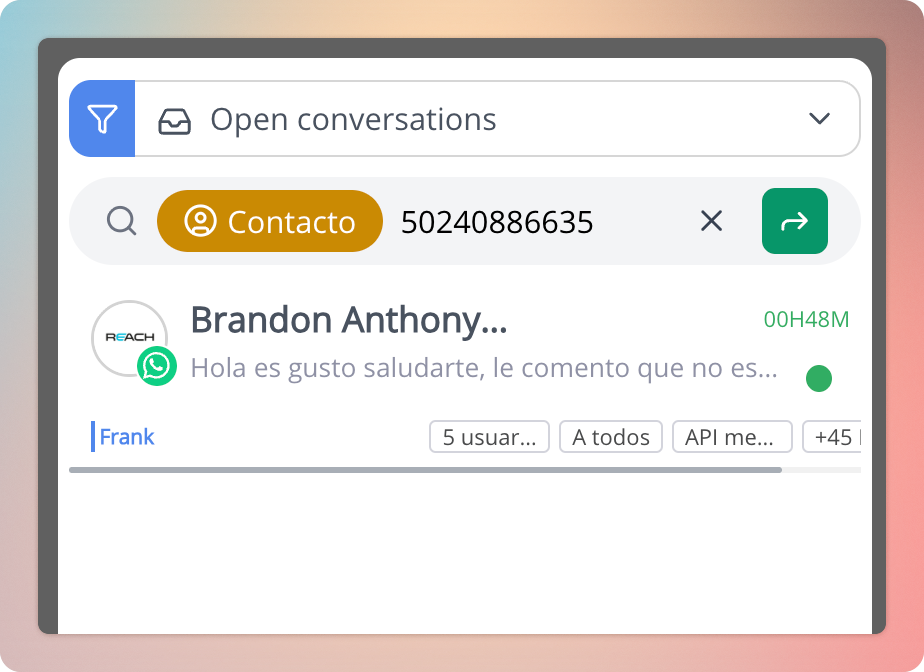
Step-by-step instructions
Unified inbox view
- Enter the Conversations menu.
- The inbox will display a single conversation per contact and channel, regardless of how many threads existed previously.
- Conversations are automatically sorted by last activity (received message, sent message, or assignment).
(Place an example image of the conversations inbox here.)
Understanding “Last activity”
Each conversation card is updated when any of the following events occurs:
- Reception of a message from the customer.
- Sending of a message by the agent.
- Assignment to an agent.
- Assignment to a group.
This ensures that active or pending conversations move to the top positions.
List navigation
- Scroll down to load more results.
- Loading is progressive and maintains order by recent activity.
(Place a demonstrative image of the scroll view here.)
Using filters and searches
- Use the search bar to locate a contact by name, number, or channel.
- Use default or custom filters to view open, new, unanswered conversations, among others.

Note: The date filter has been removed, as the system automatically prioritizes the most relevant based on recent activity.
Interpretation between Unified Conversation and History
The platform unifies the operational view, but the detailed history still exists and is used in reports and metrics.
- Unified conversation: what the agent sees and uses to work.
- Conversation history: internal record of openings, closings, and past events.
- Reports and metrics are generated based on history, not on the unified card.
Relationship with advanced filters
Some filters depend on the last case in the conversation history, for example:
- Referred campaigns or ads.
- Order status.
- Assignment status.
The system evaluates the most recent historical conversation to determine how to classify and display the unified conversation.
Best practices
- Periodically review conversations sorted by last activity to easily locate urgent cases.
- Use labels and categories to properly classify finished conversations.
- Leverage unification to avoid duplication of efforts between agents.
- Keep history updated through the End conversation function, to obtain more accurate reports.
Considerations
- It is not possible to disable contact unification; the view is standard for all accounts.
- The removal of the date filter requires relying exclusively on order by recent activity.
- Reports are not based on the unified conversation, but on internal history.
Additional observations
- This improvement optimizes operational performance, especially in accounts with large volumes of messages.
- The platform continues to record all historical information, with no data loss.
- Conversation unification contributes to a cleaner, faster, and more actionable inbox, aligned with omnichannel support best practices.