Campaigns
Campaigns
Campaigns allow you to send mass messages through WhatsApp using a file with your customers’ contacts. Customize your content and decide whether to send it immediately or schedule it for later.
Message and Package Consumption
- Campaigns can only be sent if you have an active message package contracted.
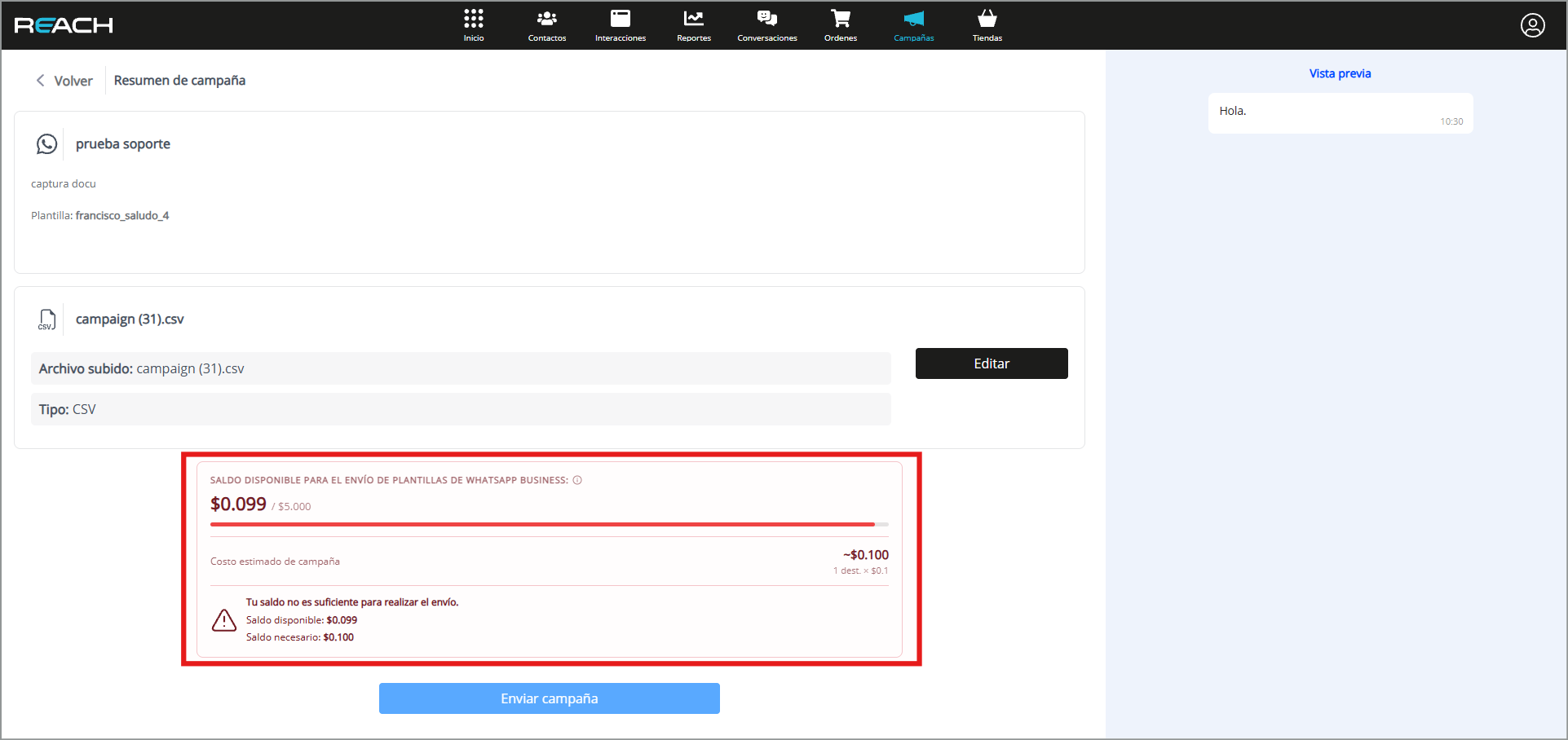
- Before sending a campaign, the system will display the number of messages that will be consumed from the available package. If the campaign exceeds the number of available messages, it cannot be sent.
- For scheduled campaigns, the message deduction will occur at the time the campaign is executed, not when it is scheduled.
- This means that if other campaigns are sent before the scheduled date or time and consume the available messages, the scheduled campaign will not be sent due to insufficient balance or available messages.
Cómo crear una campaña en WhatsApp
- In the “Conversations” menu, select the “Campaigns” submenu at the top of the screen.
- Click on “New campaign”.
- Enter a name in the “Name” field to identify your campaign.
- In the “Broadcast channel” option, select “WhatsApp”.
- Write the objective of your campaign in the “Objective” field.
- Select the template to send in the “Template” option.
Important Note:
You can only use templates previously approved by Meta Business for your account.
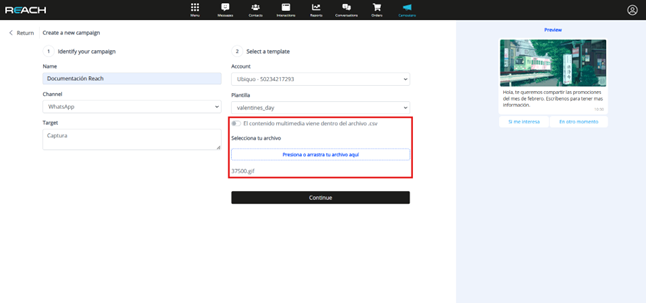
- If the template includes a multimedia header, disable the “Multimedia content comes within the .csv file” option to be able to attach the file from this section.
- Download the contacts template and add the numbers of the customers to whom you want to send the campaign.
- Once you have edited the file, upload it to the platform by selecting “Press or drag file here” and click “Continue”.
- Verify the file data and select “Send campaign”.
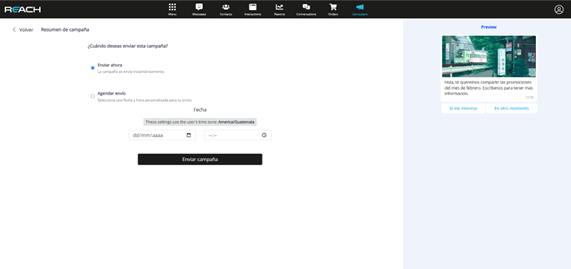
- Configure the sending:
- You can send it immediately or
- Schedule it for later.
Important Note:
If you decide to schedule the campaign, make sure to do it at least 1 hour in
advance to avoid delays in processing. Do not schedule sends with less than 5 minutes margin, as the tool requires time to execute the campaign correctly.