Reach Chat
Description
Reach Chat is Ubiquo Reach’s own channel for continuing your business’s WhatsApp conversations with no time limit and no per-message cost. When your customer writes to you on WhatsApp as usual, you can invite them to continue in Reach Chat: an app that opens with a single tap, with no registration required, and your catalog always at hand.
Your team keeps handling the conversation from the same Reach inbox — the same agent who was helping the customer on WhatsApp continues in Reach Chat. Any Reach account with at least one active WhatsApp number can use it.
Prerequisites
- An active WhatsApp number connected to your Reach account.
- Administrator or configuration permissions in Reach Tools.
Procedure: activate Reach Chat
- Go to Settings → Channels.
- Select Reach Chat from the channel list.
- Click the Activation tab.
- In the WhatsApp number for this Reach Chat field, choose the number to activate it for.
- Review the unique link generated for your business (e.g.
chat.reach.tools/c/your-business). - Click Activate Reach Chat.
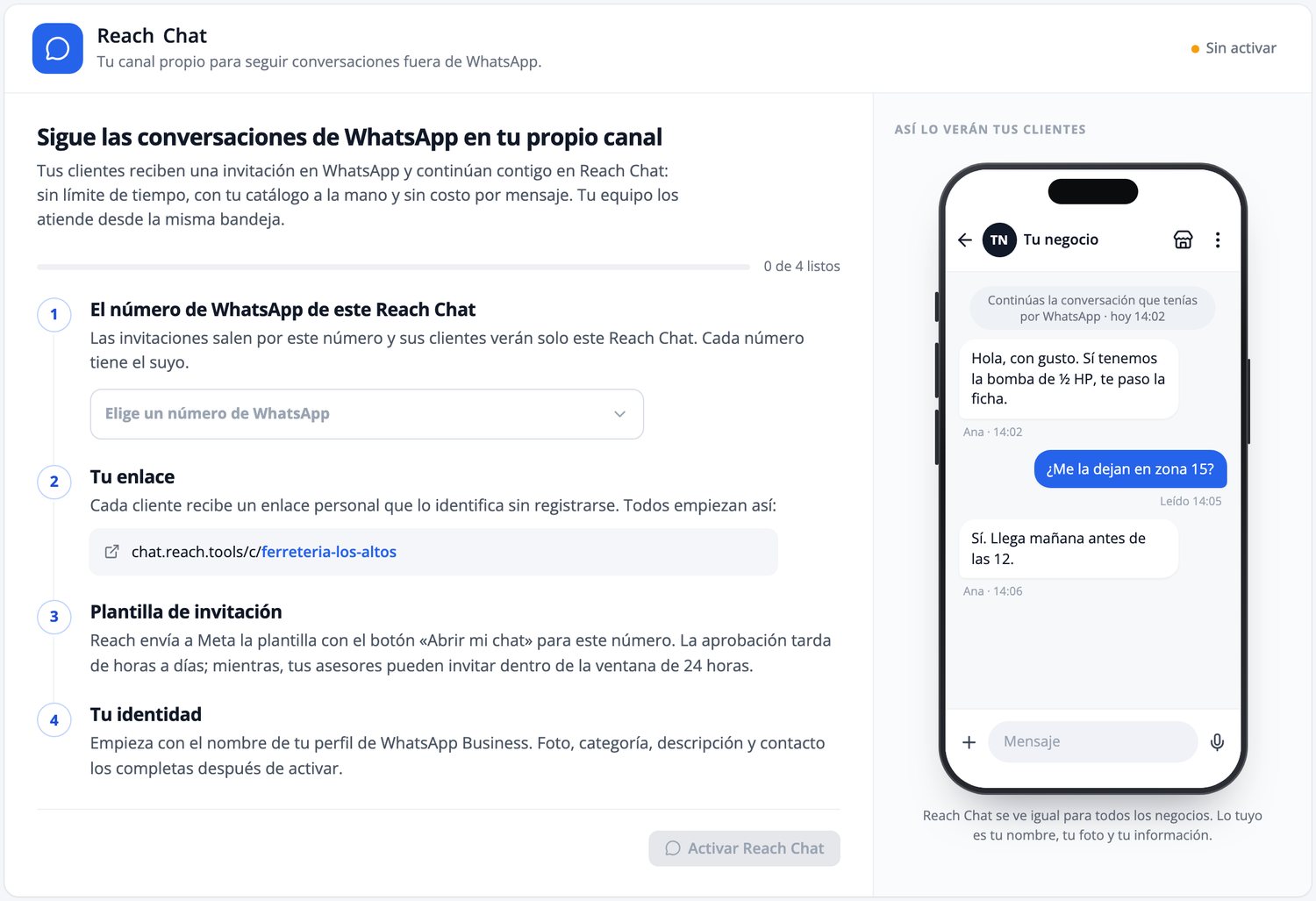
Every WhatsApp number in your account has its own Reach Chat, with its own link. Repeat this for each number you have.
Fields and options
| Field | What it is |
|---|---|
| WhatsApp number for this Reach Chat | The number that will send invitations; its customers will only see this Reach Chat. |
| Your link | Your business’s personal, unique web address. Customers use it to enter without registering. |
| Invitation message | The interactive message with the “Open my chat” button that your business sends the customer on WhatsApp. |
| Your identity | Name, photo, category, description, and contact info your customers see. |
Other configuration options
Besides Activation, Reach Chat’s configuration has four more tabs:
Identity
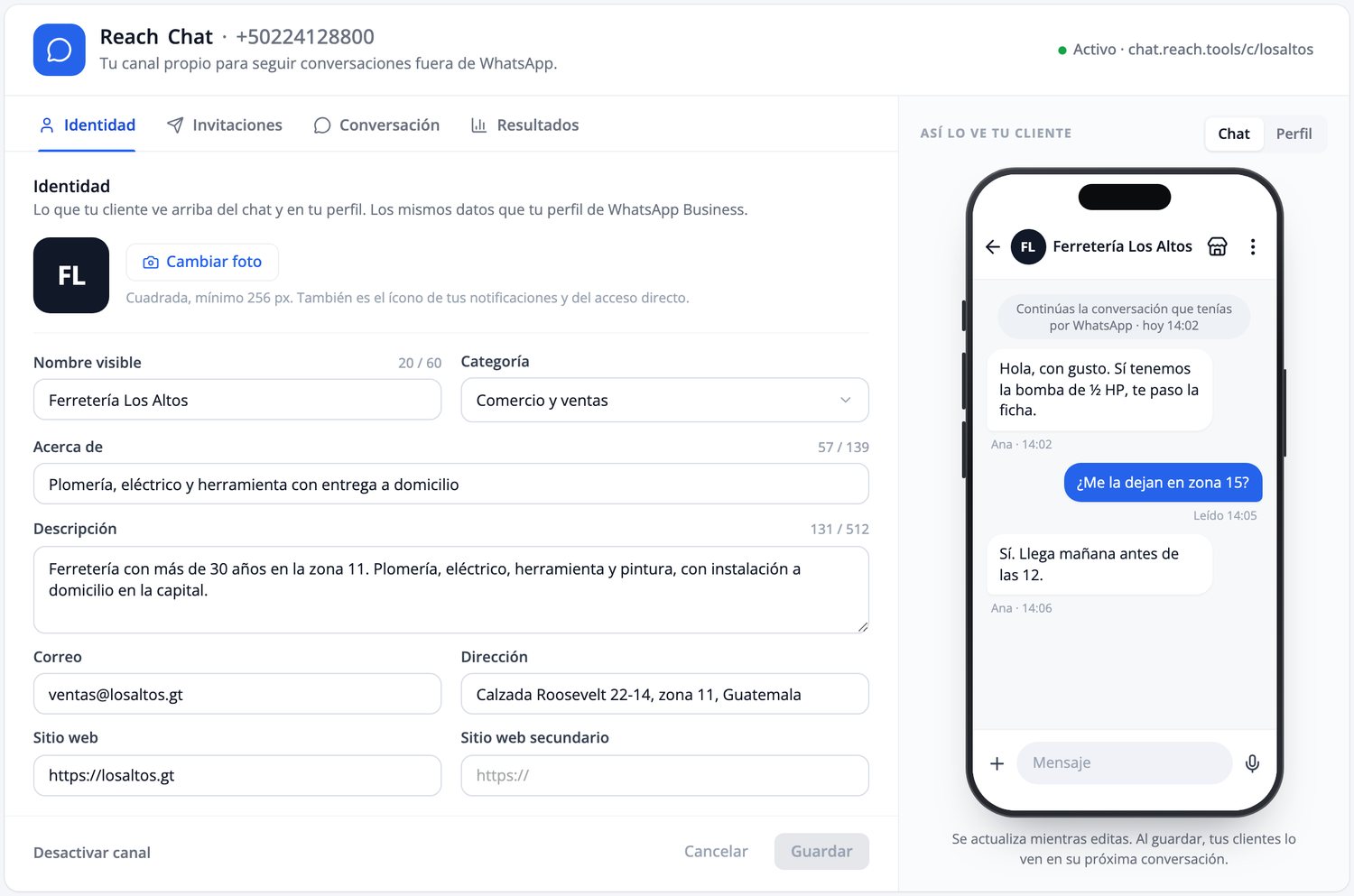
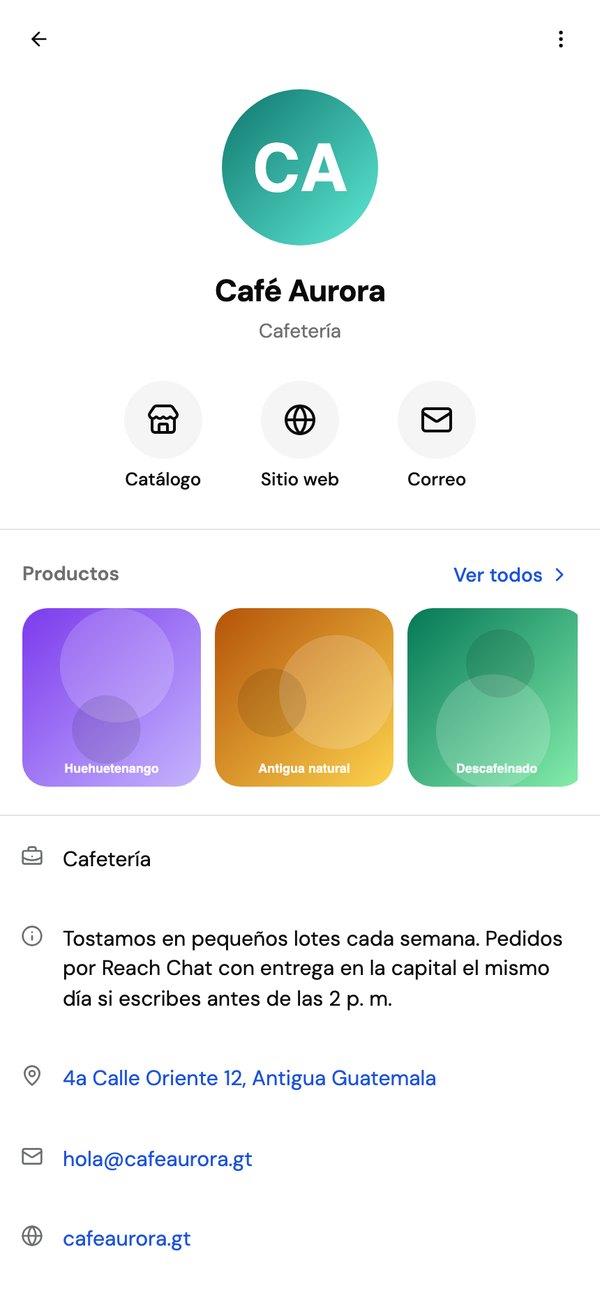
Uses the same data as your WhatsApp Business profile: name, photo, category, description, email, address, and websites. A live preview shows what your customer will see, both as a conversation and as a profile, while you edit. Once saved, customers see it on their next conversation — no new deployment needed.
Invitations
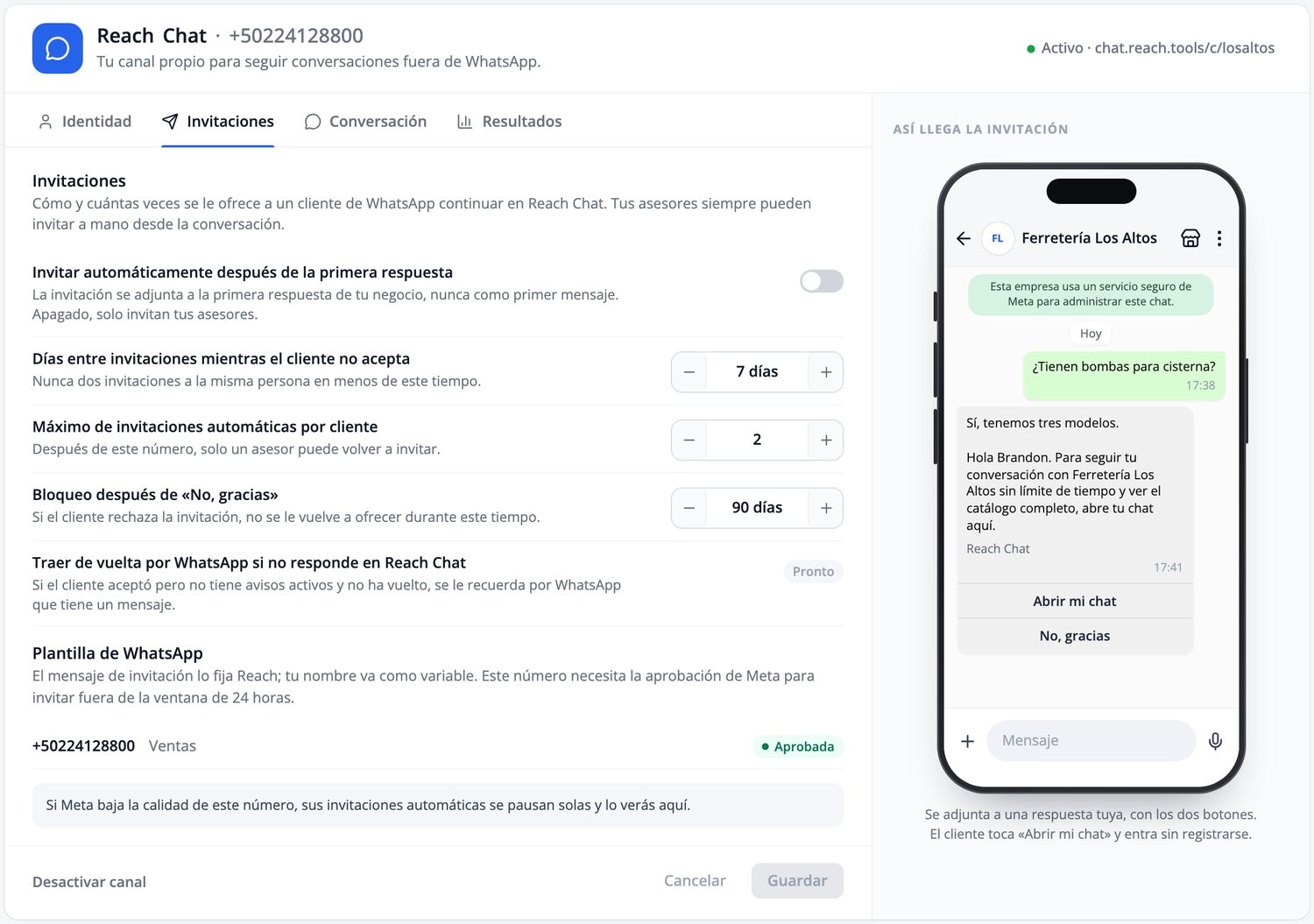
Automatic invitations are off by default — only your agents invite manually until you turn it on. If Meta lowers your number’s quality rating, automatic invitations pause themselves.
Conversation
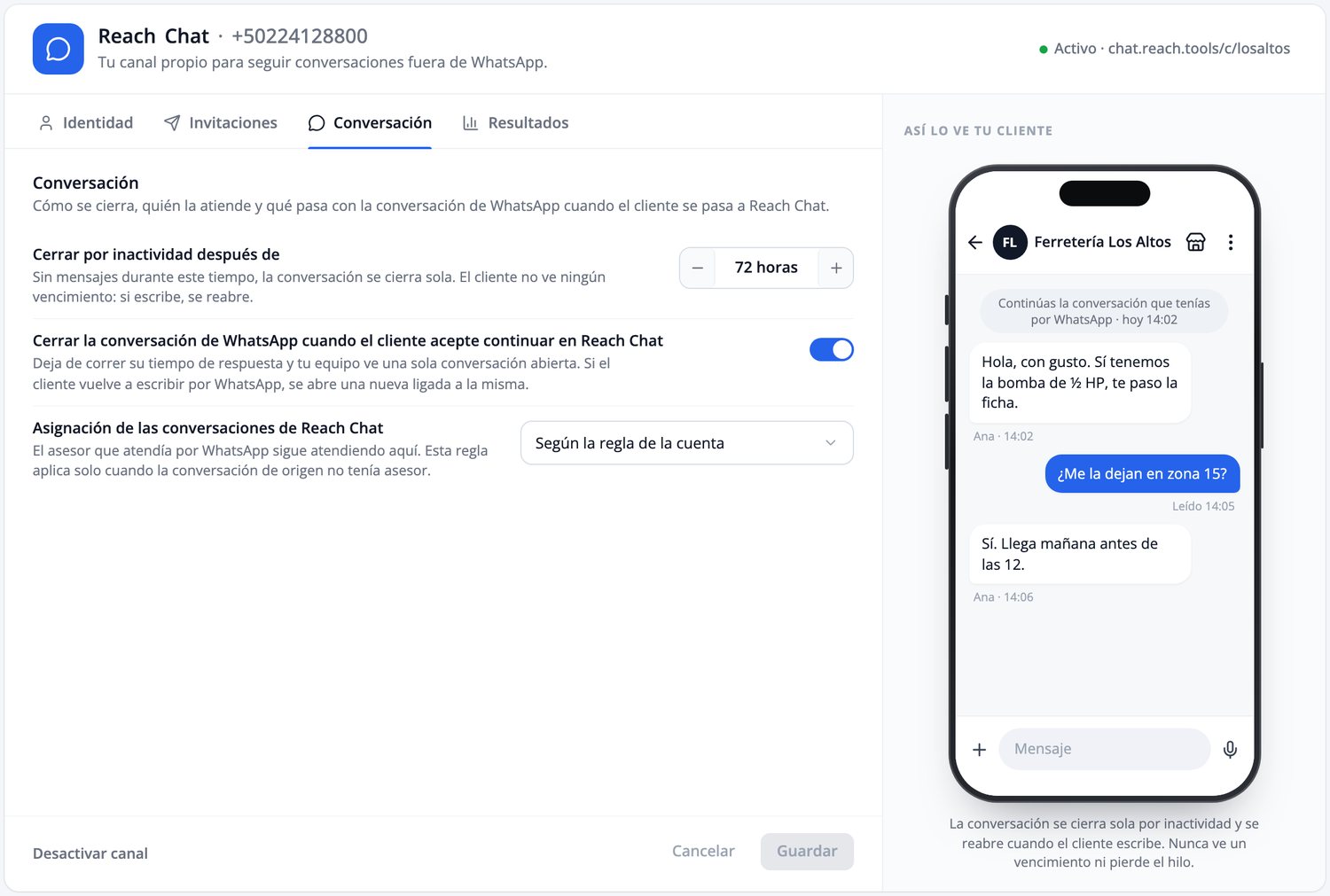
You configure the hours of inactivity after which the conversation closes — your customer never sees an expiration notice. You can turn on automatically closing the WhatsApp conversation once the customer accepts moving to Reach Chat (on by default), so your team sees a single open conversation. This is also where the assignment rule is set for when the originating conversation had no agent assigned.
Results
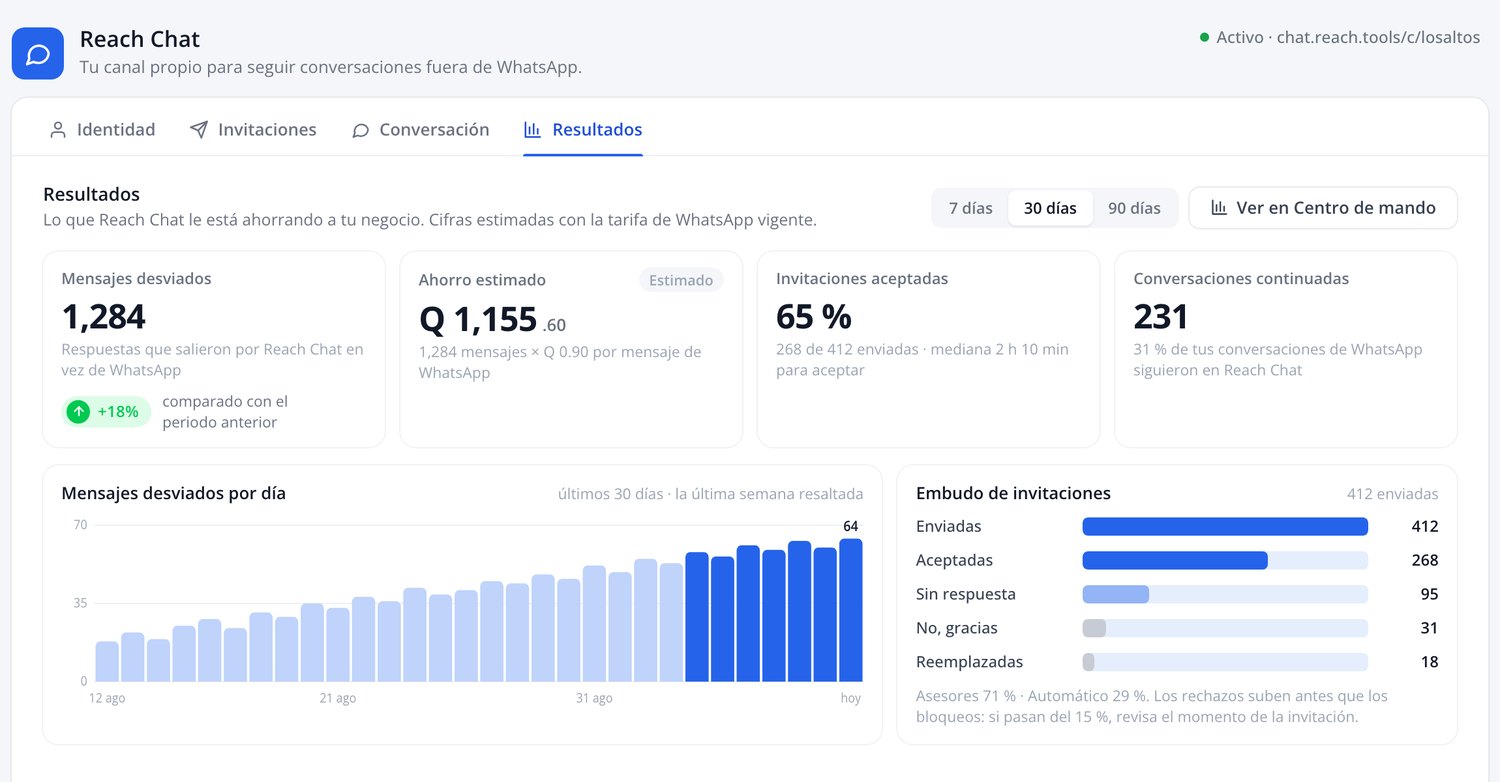
Shows messages diverted from WhatsApp and estimated savings at the current rate, accepted invitations and continued conversations by period, and an invitation funnel: sent, accepted, and no response.
Expected result
Once activated, Reach Chat becomes available immediately for the WhatsApp number you chose. The invitation to the customer is an interactive message — not a template — so it’s sent within an already active WhatsApp conversation (inside its 24-hour window): together with the business’s first reply, or manually when an agent taps “Invite to Reach Chat” from the conversation. It’s never the first message a customer receives.
What your customer experiences
- The customer writes to you on WhatsApp, as usual.
- Your business invites them to continue in Reach Chat, with the Open my chat button.
- If they accept, they enter with a single tap, no registration, and see your business with your name and photo.
- The conversation continues with no time limit, with the same agent and inbox.
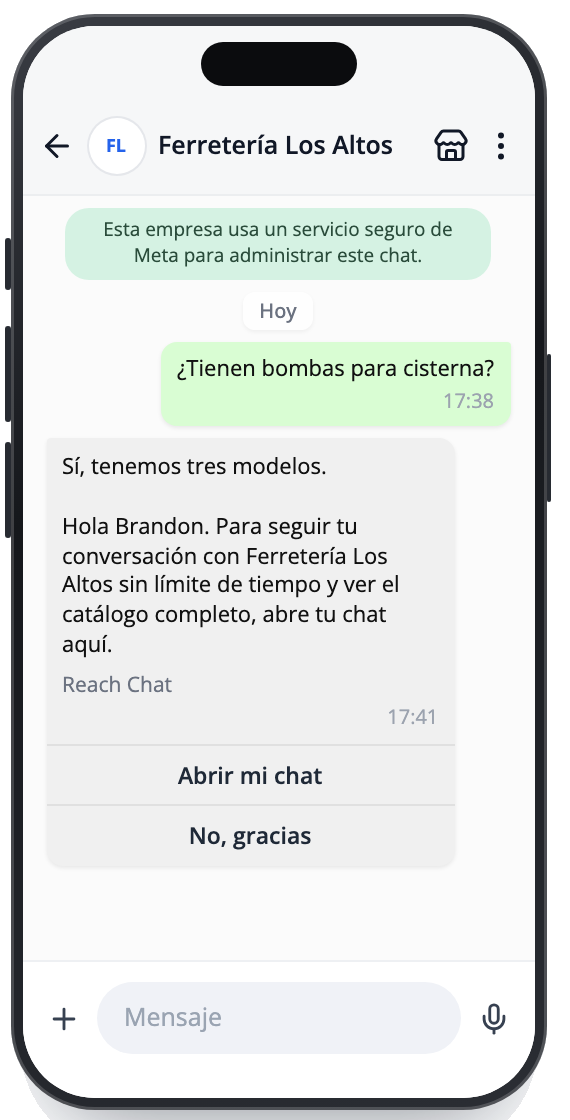
Real screens from the preview version
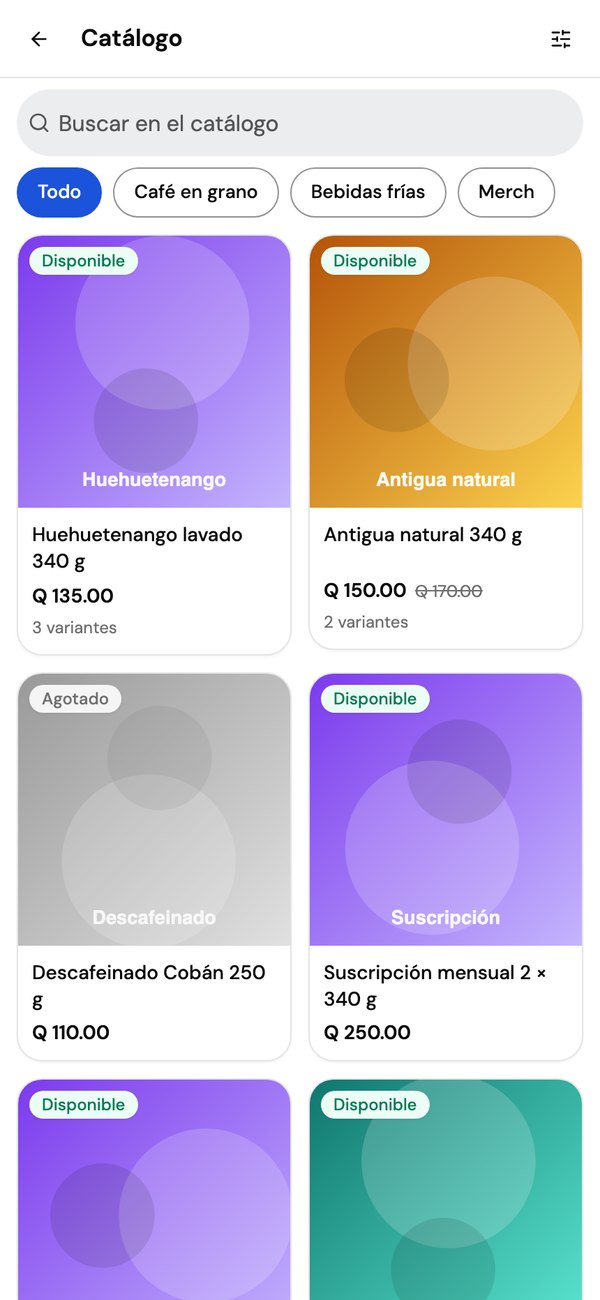
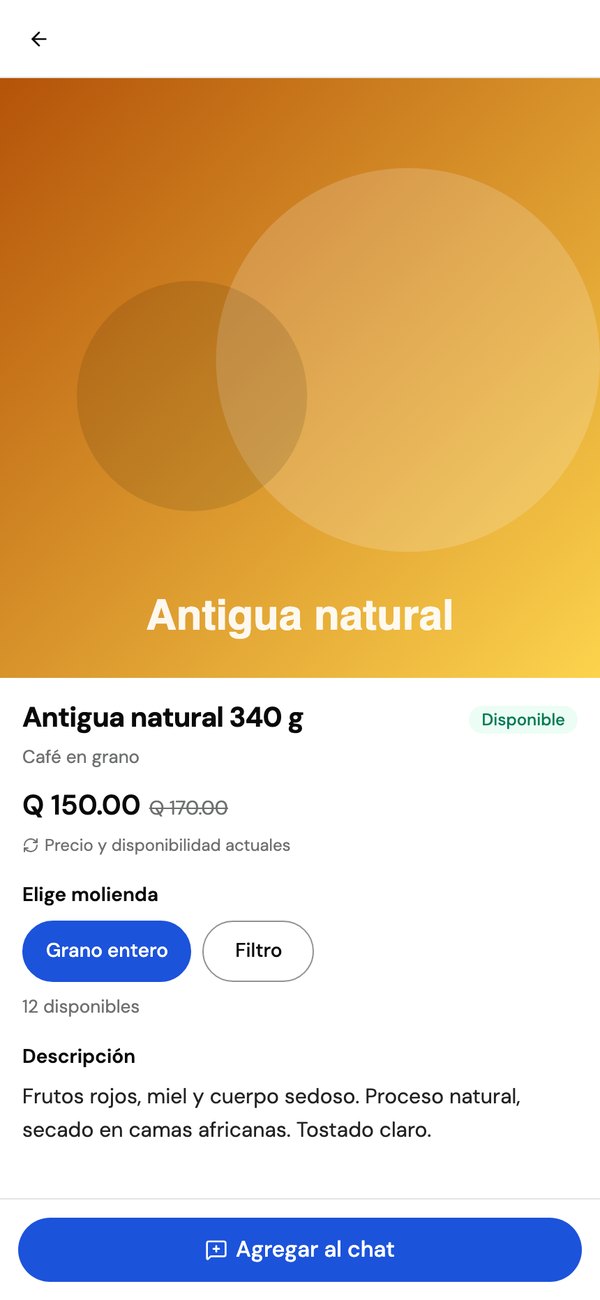
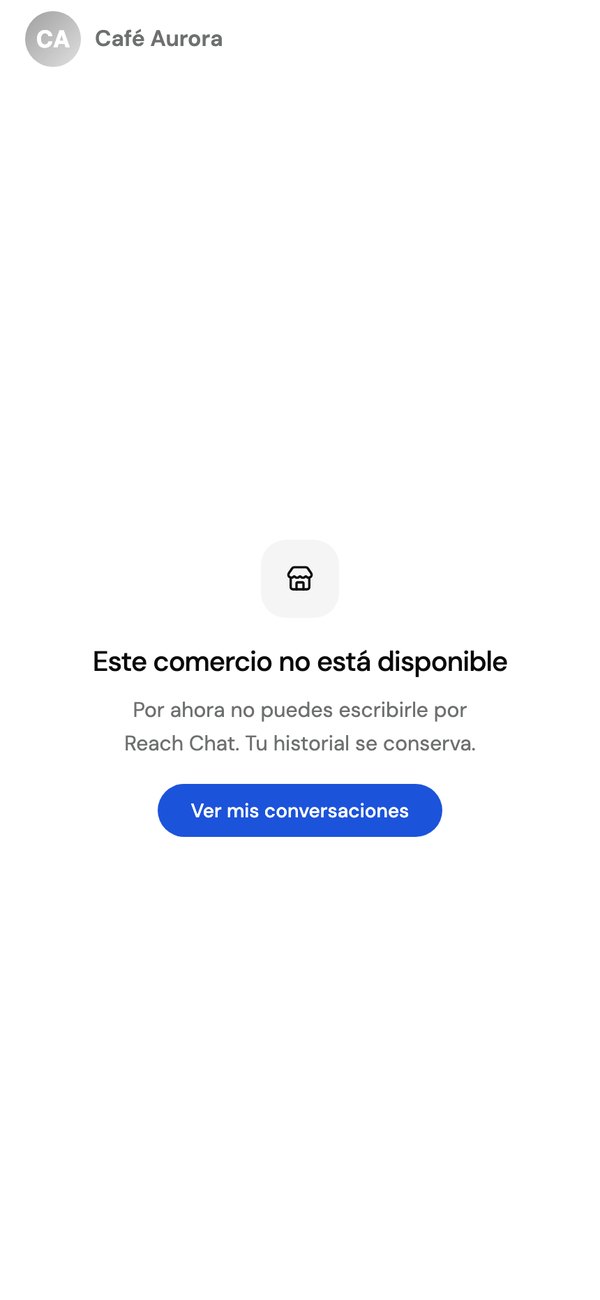
Screenshots of the app as it stands today, with sample data. The look is Reach’s for every business; the business contributes its name, photo, and info.

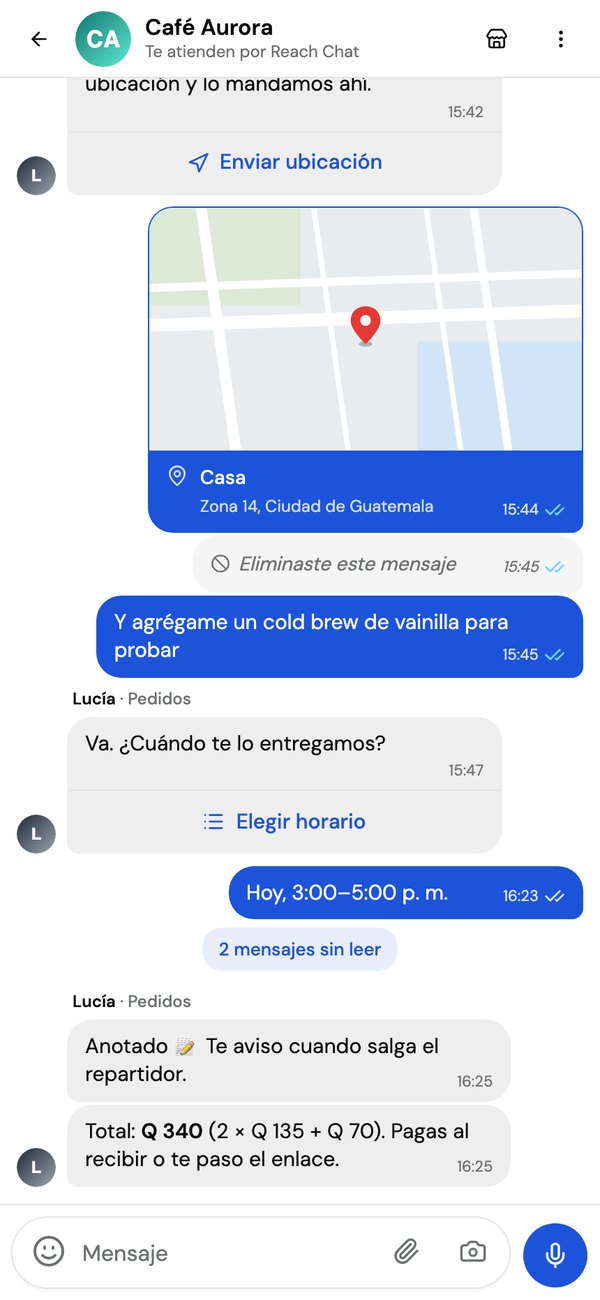
What your customer can do
- Send formatted text, photos, videos, and documents up to 50 MB.
- Send voice notes by holding the button, just like on WhatsApp.
- Share their location or a contact from their address book.
- Reply to, react to, and delete their own messages for everyone.
- Tap menu/bot/assistant options, and send a catalog product into the chat.
What your team can do
- Reply with formatted text, images, videos, audio, and documents.
- Send buttons, option lists, and product cards.
- Start a conversation with no template and no cost, with any customer who already accepted Reach Chat.
- Invite, resend the link, and revoke access from the same conversation.
Important considerations
- Reach Chat doesn’t replace WhatsApp: WhatsApp remains the front door and is still handled in full.
- The invitation message is an interactive message, not a WhatsApp template: it can only be sent within the 24-hour window of an active conversation.
- Meta’s per-message cost doesn’t apply to messages sent through Reach Chat.
- The conversation closes automatically after the inactivity period you set in the Conversation tab, and reopens when the customer writes again — they never see an expiration notice.
- By default, only your agents invite manually: automatic invitations are off until you turn them on.
- If Meta lowers your number’s quality rating, automatic invitations pause themselves.
- Reach Chat is in development — this guide describes the scope of the first version, not a launch date.
Best practices
- Complete your business’s identity details right after activating, from the Identity tab.
- Send the invitation while the WhatsApp conversation is still active — since it’s an interactive message, it can only be sent within the 24-hour window.
- Check the invitation funnel (sent, accepted, no response) in the Results tab to adjust your strategy.
- Revoke a customer’s access from the conversation if you no longer need that channel open with them.
Frequently asked questions
Does it replace WhatsApp?
No. WhatsApp remains the front door and is still handled in full. Reach Chat is where the conversation continues once accepted.
Does the customer have to register or install anything?
No. They tap “Open my chat” on WhatsApp and enter. Installing the app is optional.
How does my business’s brand look?
The app belongs to Reach and looks the same for every business. Your business appears with your name, photo, and profile info.
What does it cost my customer?
Nothing.
Is it tied to a specific plan?
No. It’s offered to any Reach account with WhatsApp; the only requirement is at least one active number.